Supported systems
| Platform | Minimum supported release | Installer family |
|---|---|---|
| Debian | 12+ | Debian / Ubuntu |
| Ubuntu | 22.04+ | Debian / Ubuntu |
| AlmaLinux | 8+ | RHEL |
| Rocky Linux | 8+ | RHEL |
| CentOS Stream | 9+ | RHEL |
Recommended server size
CPU4 vCPU or more
RAM8 GB or more
Disk60 GB or more
Architecturex86_64 or aarch64
Network requirements
| Port | Purpose | Exposure |
|---|---|---|
22/tcp | SSH administration | Administrative access |
80/tcp | HTTP and ACME validation | Public |
443/tcp | HTTPS panel and website | Public |
5432/tcp | PostgreSQL | Local/private only |
6379/tcp | Redis | Local/private only |
18080/tcp | E4S Web API | Loopback behind Nginx |
18081/tcp | E4S Agent API | Loopback behind Nginx |
DNS preparation
Prepare two DNS records before installation when possible: one for the control panel and one for the public site.
Example DNS
panel.example.com    A    SERVER_PUBLIC_IP
example.com          A    SERVER_PUBLIC_IP
When DNS already resolves to the new server, the installer can attempt Let's Encrypt certificate provisioning automatically.
Deployment flow
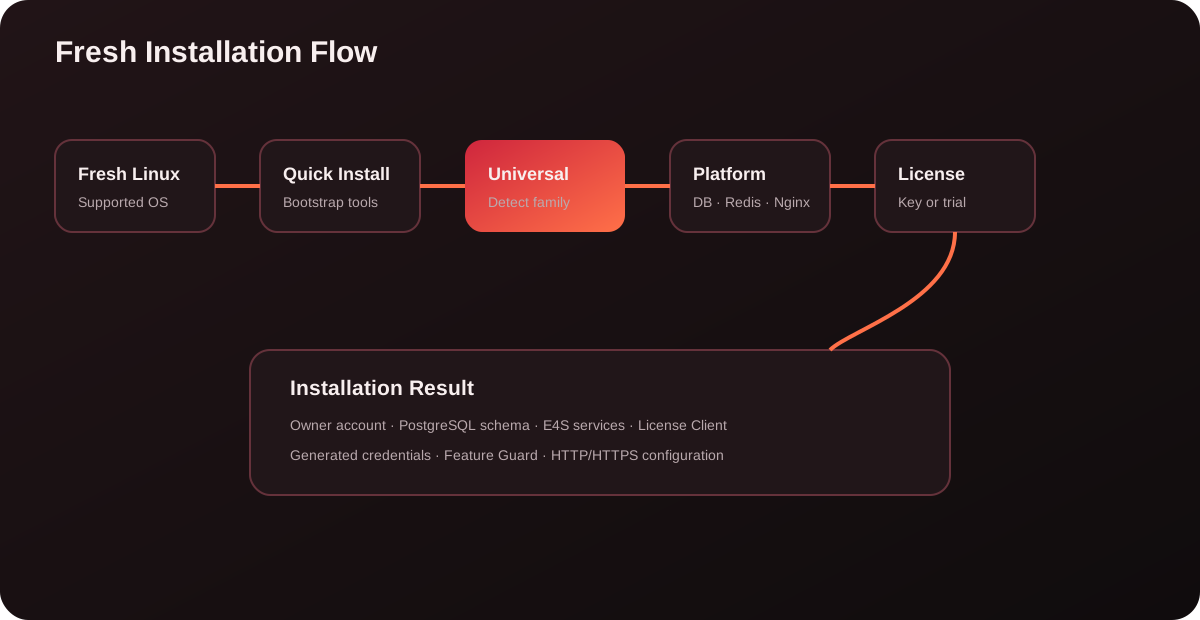
- Prepare Linux. Start from a clean supported operating system.
- Prepare DNS. Point the panel and public-site records to the server.
- Run Quick Install. Download the bootstrap script and execute it.
- Answer installer prompts. Panel domain, site domain and owner identity.
- Install platform. Runtime, PostgreSQL, Redis, Nginx and E4S services are prepared.
- Activate entitlement. Commercial license or automatic trial.
- Open panel. Use the generated credentials file.